In today’s digital world, website securityis no longer optional. Whether you run a business website, blog, portfolio, or e-commerce store, having an SSL Certificate is essential for security, trust, and search engine ranking.
In this article, you’ll learn:
What SSL is
How SSL works
Why SSL is important
Problems caused by not using SSL
Free vs Paid SSL
How to set up SSL easily
What Is an SSL Certificate?
SSL stands for Secure Sockets Layer. It is a security technology that encrypts the data transferred between a website and its visitors.
WordPress speed optimization is one of the most important factors for online success. If your WordPress website loads slowly, visitors will leave, Google will rank you lower, and your business or blog will suffer. Many beginners think speeding up a WordPress website is very technical, but the truth is — anyone can improve website speed by following the right steps.
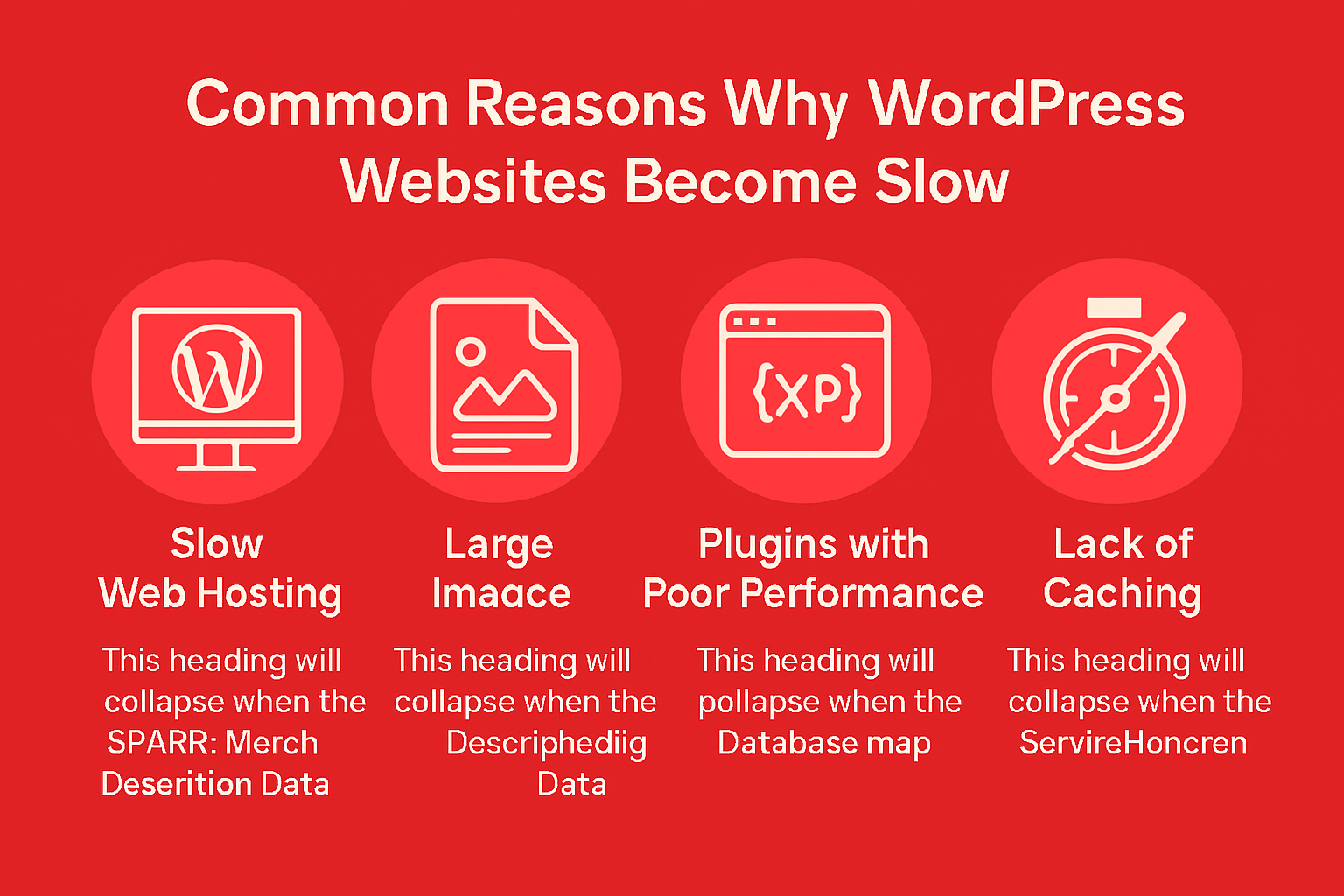
Improving WordPress speed Improving WordPress speed optimization is not a one-time task — it is an ongoing process. By optimizing images, using caching, removing unnecessary plugins, choosing good hosting, and using a CDN, you can significantly improve your website performance.
A fast WordPress speed optimization
Ranks better on Google
Keeps visitors happy
Builds trust
Increases conversions
If you want professional help to speed up your WordPress website, regular maintenance and optimization can save you time and money in the long run.
🚀 Need Help with WordPress Speed Optimization?
Is your WordPress website loading slowly and losing visitors? A slow website not only frustrates users but also hurts your Google rankings and conversions. Fixing speed issues without proper experience can be time-consuming and risky.
That’s where I can help.
I provide professional WordPress speed optimization services to make your website faster, smoother, and SEO-friendly.
✅ What I Will Do for Your Website
Full WordPress speed analysis
Image optimization & WebP setup
Cache & performance plugin configuration
CSS, JavaScript & database optimization
Hosting & server performance check
Core Web Vitals improvement
Free speed report (before & after)
🎯 What You Will Get
Faster loading time (2–3 seconds)
Better Google PageSpeed score
Improved SEO rankings
Lower bounce rate
Better user experience
More trust & conversions
⭐ Why Choose Me?
Beginner-friendly & honest service
100% manual optimization (no shortcuts)
SEO & security focused approach
Affordable pricing for small businesses
Clear communication & support
I don’t just optimize speed — I help your website perform better for real users and search engines.
SEO spam Japanese spam, is a common website security issue that mainly affects WordPress websites. In this attack, hackers secretly inject spam pages, links, or posts into a website without the owner’s permission. Most of these spam pages contain Japanese text and promote fake products, gambling content, or suspicious links.
The main goal of SEO spam is to misuse your website’s authority and Google trust to rank spam pages. If not fixed quickly, it can seriously damage your website’s SEO, traffic, and online reputation.
SEO spam Japanese Spam ” is another name for the process that involves black hat SEO as done by hackers. In these cases, hackers don’t work towards forming their own sites but rather hack other sites by adding invisible pages, links, or posts. Invisibility occurs as these pages remain invisible to humans but visible to search engine sites, such as Google.
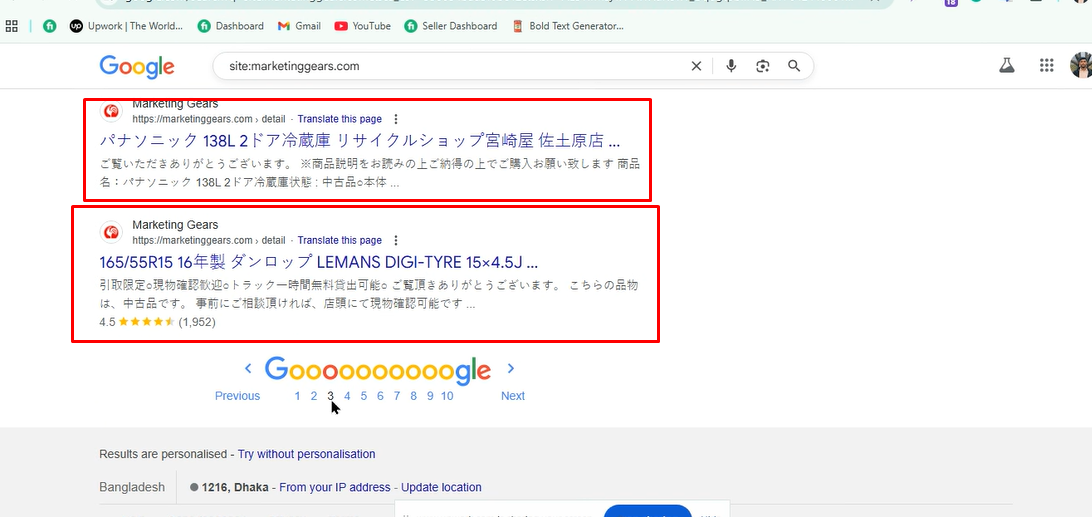
When a person searches for something on Google, they might find your website listed with Japanese titles and descriptions, though your website is completely irrelevant to Japanese content.
Among the common reasons that make a site vulnerable to SEO guest blogging malware are:
Weak Passwords
Ease of guessability of password in hosting, WordPress admin, or FTP accounts can give hackers entry easily.
Outdated WordPress, Themes, & Plugins
Usually, the older version has some security bugs. Hackers search for such websites on the Internet and access them automatically.
Nulled or Cracked Themes & Plugins
Free pirated themes or plugins may contain hidden malware or backdoors that can give hackers access to your site.
4. Poor File Permissions
File If file permissions are not proper on a server, they can be utilized by attackers to upload harmful files.
Hidden Backdoors
Hackers might have left hidden scripts on your website that could reinfect the site even after the cleanup.
Typical Characteristics of Spam Messages Related to Japan
Signs to look for in order to determine whether a website is SEO spam include the following:
Japanese text shown as a Google search result
Direct URLs, for example /jp/, /product-12345.html, and
An overnight change to low website traffic and positions
Google Search Console – “Security Issues” Warnings
Slow or redirected traffic on your website SEO Spam Japnaese Spam You can quickly verify this on Google with the search: site: If it has Japanese content, your site is probably hacked.
Install a security plugin such as Wordfence or Sucuri and perform a full scan. Alternatively, check to see if your hosting provider offers malware scanning.
Removing Suspicious Files
Look for unknown .php files, especially in:
/wp-content/uploads/
/wp-includes/
/wp-admin/
Not seeing a file you don’t recognize? Delete it.
Reinstall WordPress Core Files
Download a fresh copy of WordPress and re-upload all the core files except the wp-content folder.
Cleanse Database
Carefully look for spam keywords or hidden links in the wp_posts and wp_options tables and remove them.
Prevention is always better than recovery. Follow these best practices:
Keep WordPress, themes, and plugins updated
Never use nulled or pirated software
Enable two-factor authentication (2FA)
Take regular website backups
Use a trusted security plugin
Limit admin access and user roles
Regular monitoring can help detect problems early before serious damage occurs.
Final Thoughts
SEO spam Japanese spam is a common but dangerous issue for website owners. It silently attacks your site, damages your SEO, and puts your online reputation at risk. The good news is that with proper security practices, regular updates, and timely cleanup, you can fully recover and protect your website from future attacks.
When a person searches for something on Google, they might find your website listed with Japanese titles and descriptions, though your website is completely irrelevant to Japanese content.